JELLE VAN DOORNE - GAME & NARRATIVE DESIGN
  • Home
  • Portfolio
    • Angela's Wedding Disaster
    • Angela's High School Reunion
    • Angela's Fashion Fever
    • Viola
    • Press Q To Stop Time
    • SECRET
  • Blog
  • About
  • Contact
  • Presskit

"Street" Fighter

9/6/2018

0 Comments

 
After the setup of the RPG system, I worked on letting turns pass, letting the player choose actions and giving the player the ability to attack, as well as defend. The monsters can also randomly choose an action, damage gets calculated, the UI updates... just about anything you might expect in a turn-based battle system!

Click 'Read more' to read more about how I created this system!

Attacking, Defending

There's so much code I can't possibly show all of it. In a nutshell, this is what happens:
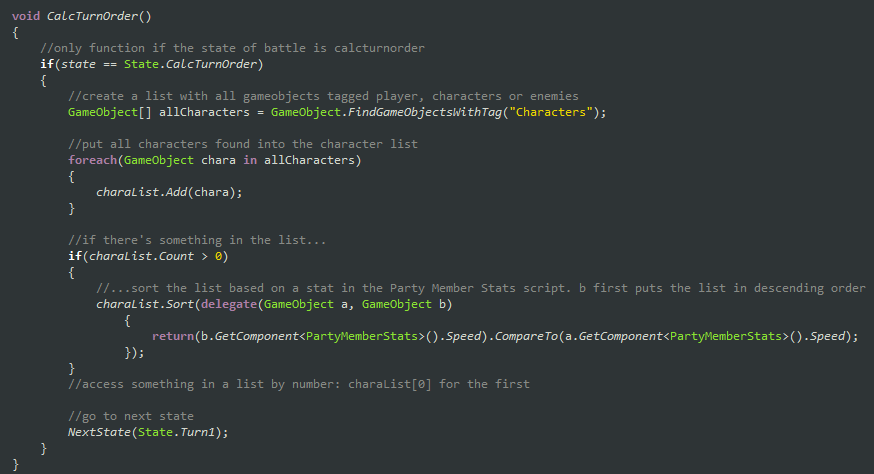
  • All gameobjects tagged "Characters" are put into a list.
  • The list is sorted based on each object's "Speed", which decides the order of the turns.
  • "DoTurn()" is called with a turn number, starting with 0.
  • The turn number supplied with the DoTurn call is used to check which object's turn it actually is.
  • Depending on whether or not the object is a player or an enemy, different things happen.
  • If it's a player, it simply moves the menu to a position offset from the character object.
  • The menu itself links to different methods, which allows the player to attack, defend, run or use an ability.
  • Right now, only attacking and defending works.
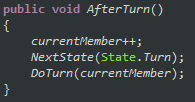
  • After the methods are done, "AfterTurn()" is called, which increases the turn number and loops back to DoTurn().
  • If the object that has the turn is an enemy, its script MonsterActions is called, which randomly decides whether it will attack, use an ability, or "observe", which is just doing nothing.
  • For each type of monster, I can enter diffferent values to determine their action. So, wolves have a high chance to attack, but maybe a frog would have a high chance to observe.
  • Finally, there's a state machine to keep track of what's currently happening: battle start, a turn, an action, or battle end. It doesn't do much yet, but I'll probably need it when working on action commands.
Picture
As an example, the code used to calculate turn order.
Picture
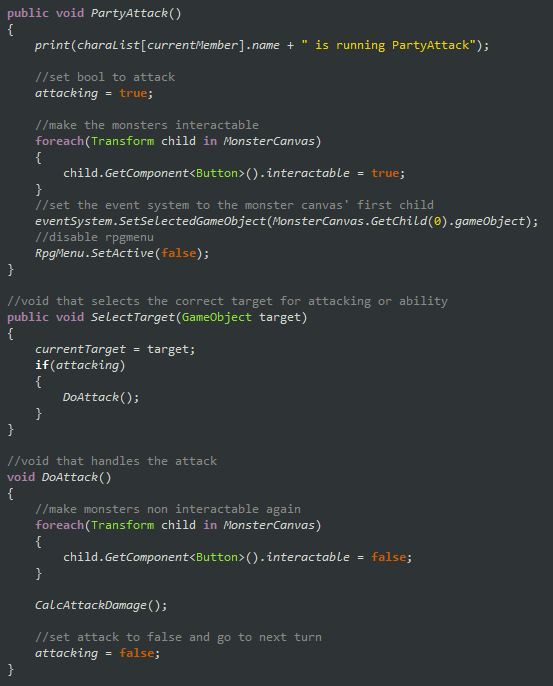
PartyAttack() is run from the menu. Enemies are spawned on a UI canvas, allowing the player to select them. Each enemy has "SelectTarget(this.gameobject)" set as their OnClick. By doing it like this, they can also be targeted by abilities with the same method.
Picture
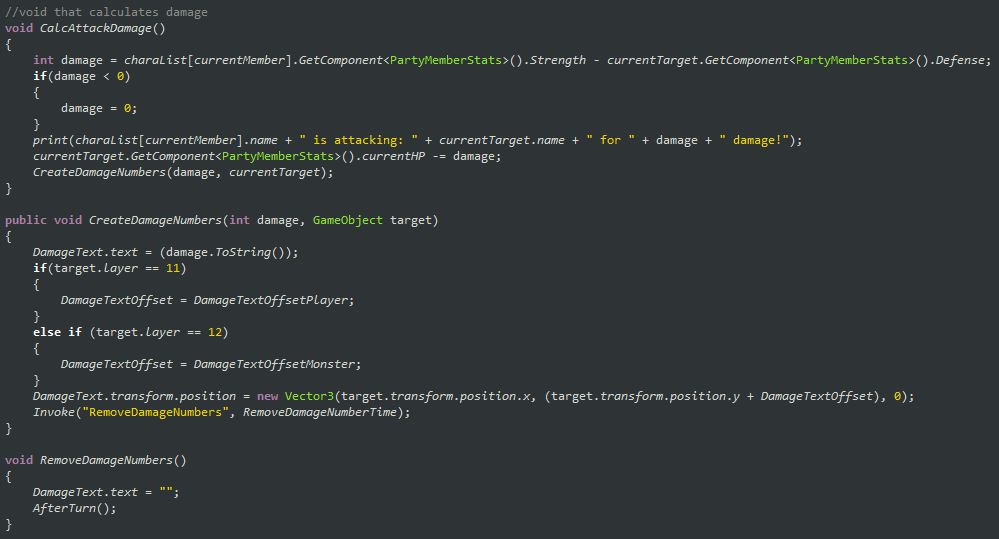
Lots of long lines, but it's really quite simple. The attacker's strength - the target's defense is the damage. Can't be lower than 0. Subtract from the target's HP. Change a UI element to create the damage numbers.
Picture
Finally, the AfterTurn() script is called after... well, each turn.
Next week I want to work on Mario & Luigi-style action commands. Dealing damage through turns is pretty fun to RPG fans, but this is a platformer & RPG hybrid. Platforming is higher paced gameplay, so I don't want players to feel bored while they're battling enemies.

I've also worked on levels, which I'll cover in a later blogpost.
0 Comments


Leave a Reply.

    Tweets by GameViola

    About

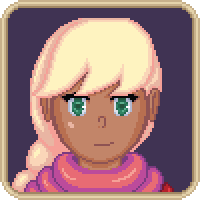
    This is a development blog for my own game project, "Viola".
    Picture

    Archives

    February 2019
    January 2019
    December 2018
    November 2018
    October 2018
    September 2018
    August 2018
    July 2018
    June 2018
    May 2018
    April 2018
    March 2018
    February 2018

    Categories

    All
    Art
    Design
    Music
    Programming
    Story
    Viola

    View my profile on LinkedIn

    RSS Feed

Site

Portfolio
About
​Contact
  • Home
  • Portfolio
    • Angela's Wedding Disaster
    • Angela's High School Reunion
    • Angela's Fashion Fever
    • Viola
    • Press Q To Stop Time
    • SECRET
  • Blog
  • About
  • Contact
  • Presskit